
Troubleshooting: No Touch Response on Smartboard M600
Power Cycle the Board:
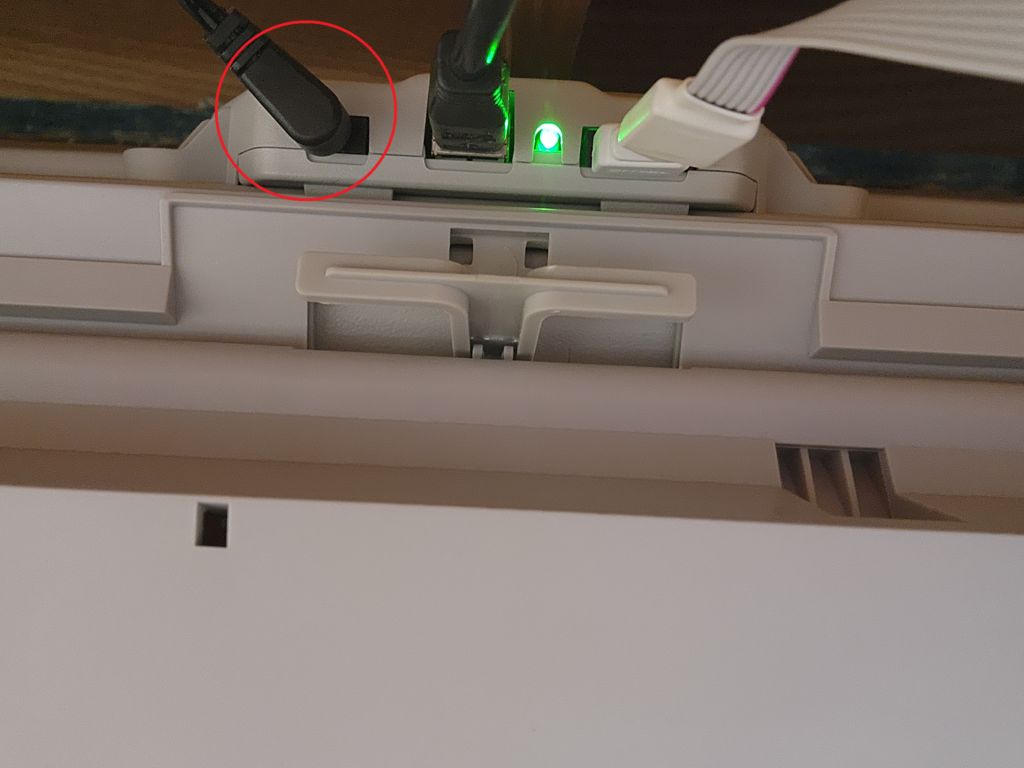
- Locate the power connector at the bottom of the board, just beneath the smartboard.
- Disconnect the power cable for approximately 10 seconds and then reconnect it. Power cable is circled below
Repeat Power Cycle if didn’t work:
- Try the power cycle step again, as it may take multiple attempts. Keep it out longer then 20 seconds.
Check Power Indicator Light:
- Is the power indicator light blinking?
- Yes: Click here to troubleshoot smart notebook
- No: Verify that the power cord is securely connected on both ends.
If none of the above works. Restart your Desktop.
If the Issue Persists: